Your brokerage command center
Brokerage Admin For Centralized Control
Secure, intuitive and built for efficiency. From user management and platform configuration to monitoring and analytics, everything is in a single web-based interface.
- Web-based
- Real-time monitoring
- Full audit trail
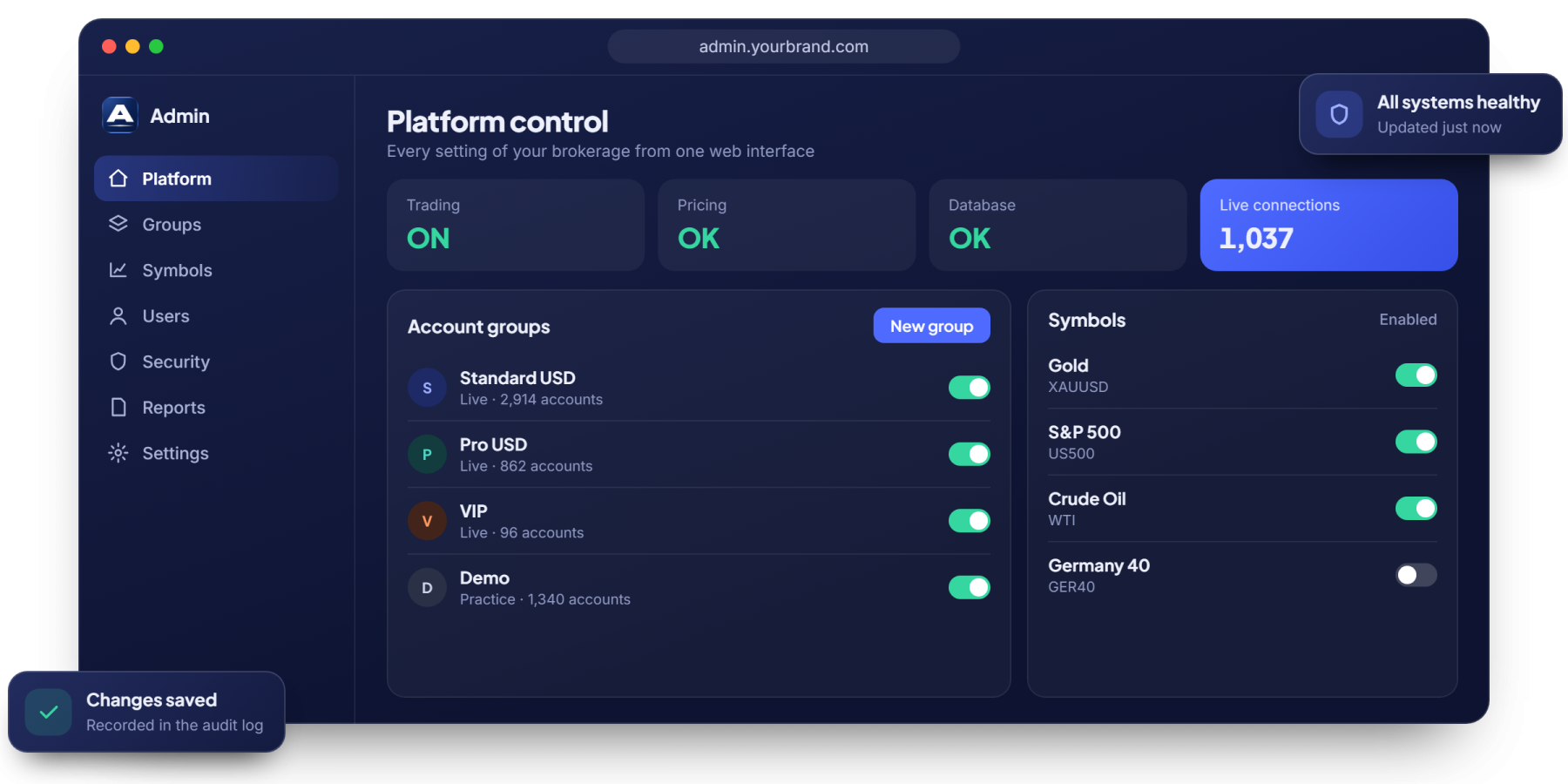
Every setting, one secure interface
Set up and change your brokerage without waiting on a technical team.

Centralized administration
Manage users, accounts and staff access for the whole brokerage.

Real-time monitoring
Check trading, pricing, database and connection health at a glance.

Pricing and trading conditions
Control the conditions offered to each group of clients.

Risk settings
Define the risk settings and limits that protect your business.

Platform and symbol setup
Create groups, add symbols, and set trading sessions and holidays.

Report generation
Produce the reports your business and compliance teams need.
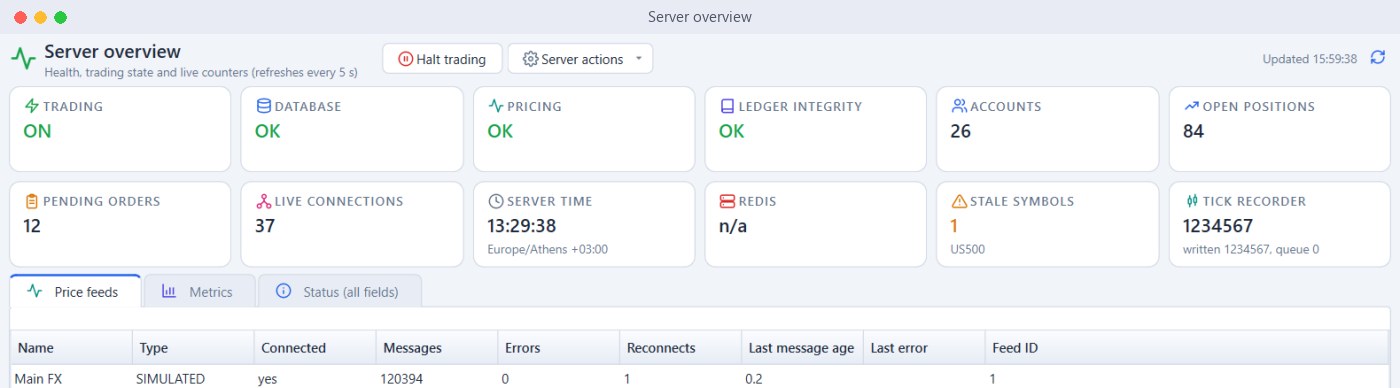
Your platform health at a glance
One overview shows whether trading, pricing and the ledger are healthy, with live counters for accounts, positions and connections.
- Trading, Database and Pricing Status
- Live Connections and Positions
- Price Feed Status
- Emergency Halt for Trading
- Automatic Refresh
- Server Actions
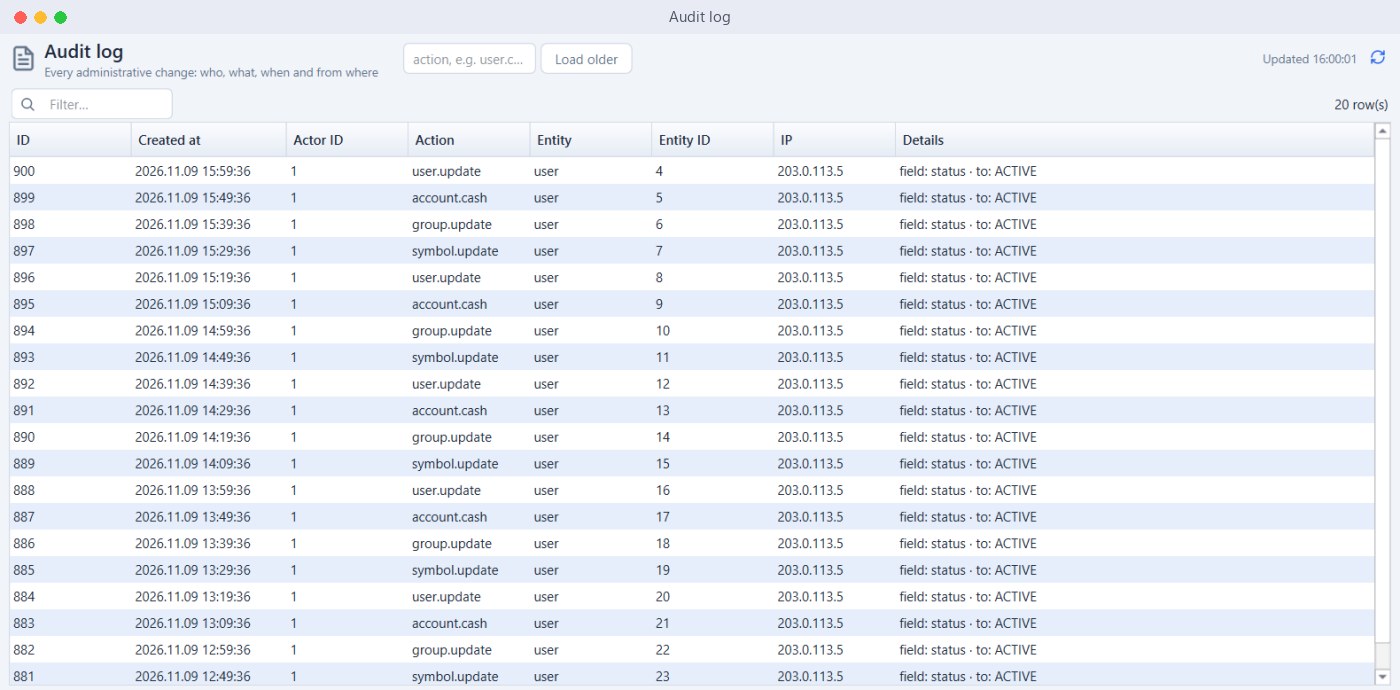
Every change is on the record
The audit log shows who changed what, when and from where, so your team can answer any question.
- Full Audit Log
- Staff Roles and Permissions
- Security Policies
- IP Blocklist
- Database Backups
- Brand Management
Built to protect your brokerage
Controls that keep your platform, your data and your clients safe.
Roles and permissions
Give each staff member only the access they need.
IP blocklist
Block unwanted addresses from reaching your platform.
Audit trail
A complete record of administrative changes.
Backups
Protect your data with database backups.
Admin questions
Is the admin panel web-based?
Yes. You manage your brokerage from a single, web-based interface.
Can I change settings without a developer?
Yes. Users, groups, symbols and platform settings are all managed from the admin panel.
Can I see who changed a setting?
Yes. The audit log records what was changed, by whom, when and from where.
Can I stop trading in an emergency?
Yes. An emergency switch halts client order entry across the platform.
Take control of your brokerage
Book a free demo of the brokerage admin panel.